Microsoft's official activation tool is one of the most reliable ways to activate your Office license. The process is simple, takes just a few minutes, and works for all Office versions. Follow the steps below to get your Office up and running.
Works With
Open Microsoft Word. The Activation Wizard pop-up should appear automatically. Select the option that says "I want to activate the software by telephone", then click Next.
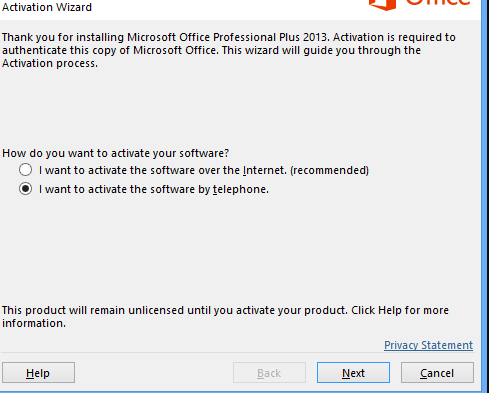
You do NOT need to call Microsoft! Microsoft has discontinued phone activation. Instead, simply visit the official activation tool at https://aka.ms/aoh and follow the on-screen steps to complete your activation online. It's fast, free, and works 24/7.
Use Microsoft's official online activation tool to complete your activation:
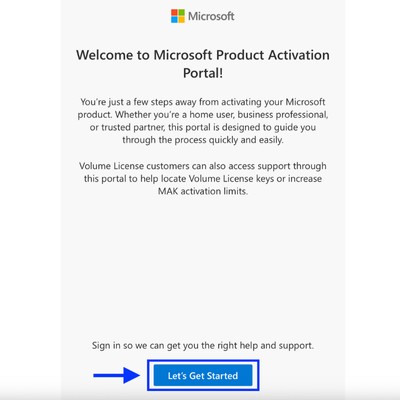
Click "Let's Get Started" to begin the process.
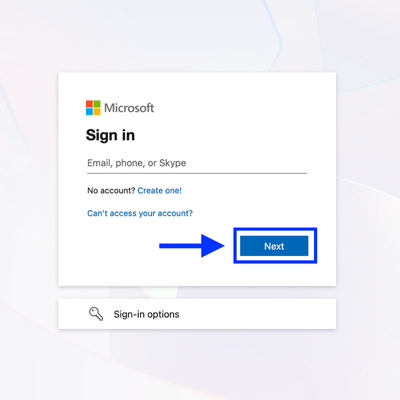
You'll be asked to sign in with your Microsoft account. Use any Microsoft account — it doesn't need to match the one tied to Office. If you don't have one, you can create a free account.
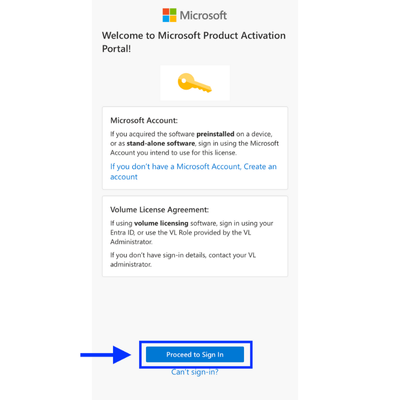
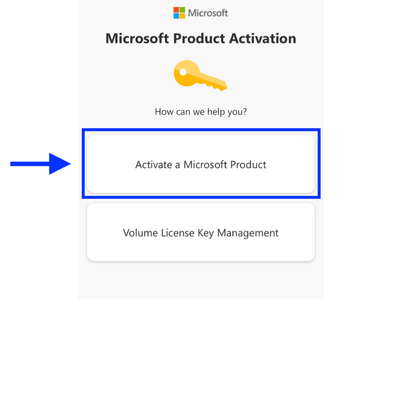
After signing in, you'll see a few options. Choose "Activate a Microsoft Product" to proceed.
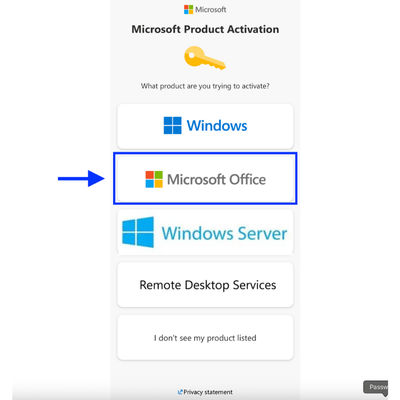
Select Microsoft Office as the product you want to activate. Then pick your operating system — typically Windows.
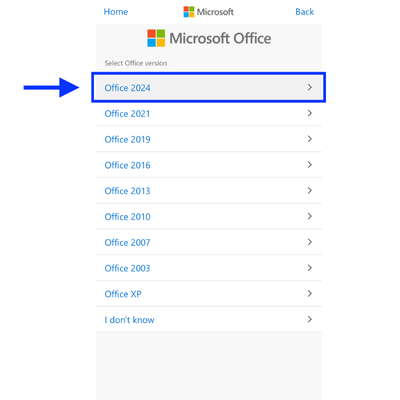
Choose your specific Office version from the list (e.g., Office 2024, Office 2021, etc.). You'll then see a field where you need to enter your Installation ID.
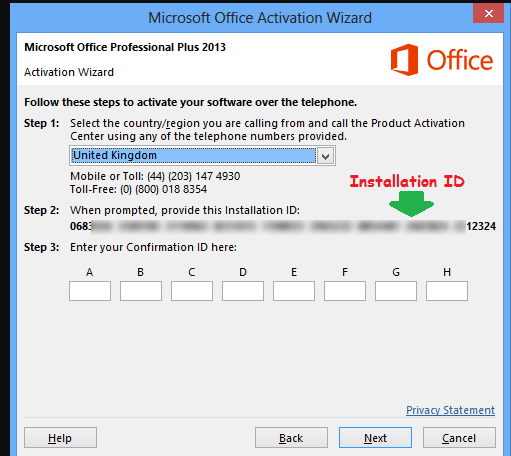
Go back to the Activation Wizard in your Office application. You'll see a long series of numbers — this is your Installation ID. Copy all the number groups.
Now paste these numbers into the corresponding fields on the Microsoft activation page.
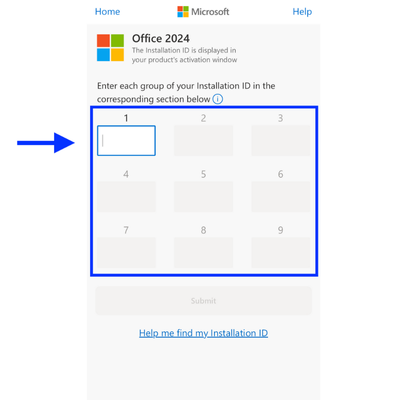
After submitting your Installation ID, Microsoft will generate a set of Confirmation IDs. Copy them from the activation page.
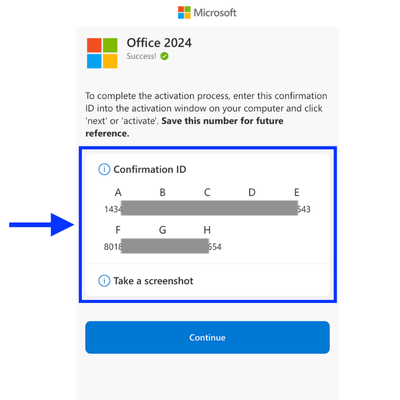
Now go back to the Activation Wizard in Office and enter these IDs into the boxes in Step 3 of the wizard.
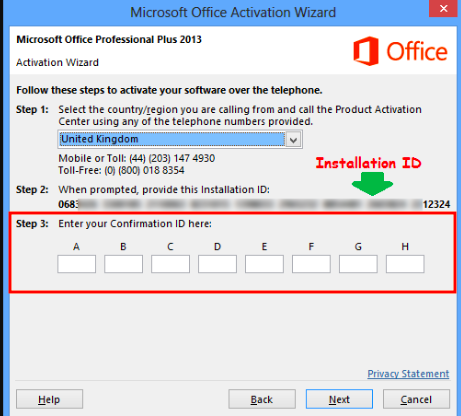
Click "Next" and you're done! Your Microsoft Office is now activated and ready to use. You should see a confirmation message saying the activation was successful.
Need Help?
If you encounter any issues or error messages during activation, our support team is here to help.